Coming soon
Créature for teachers
Your class learns by playing. You see who needs help.
Classroom tools for kids 5–12: set up a class in minutes, children sign in with a picture, and you know who is stuck before the lesson ends. Here's a look at what we're building.
Not open yet · nothing to sign up for
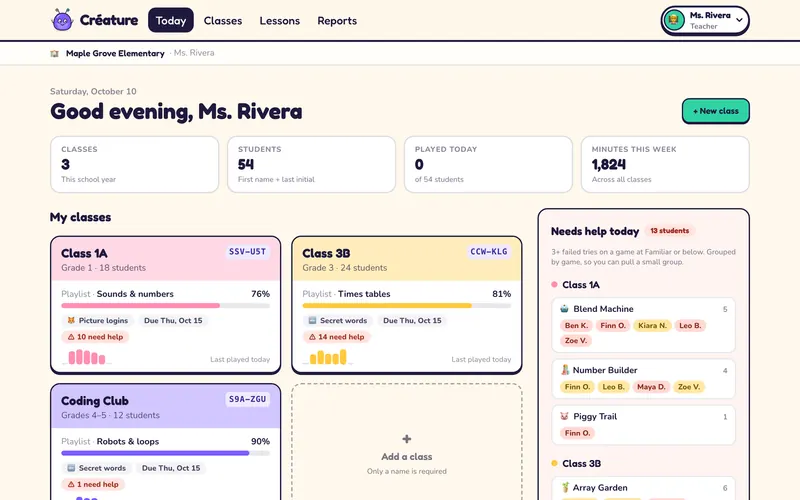
Every class on one page
Your classes with their class codes, this week's playlist and how far each class has got. A needs-help list groups the children stuck on the same game, so you can pull a small group.
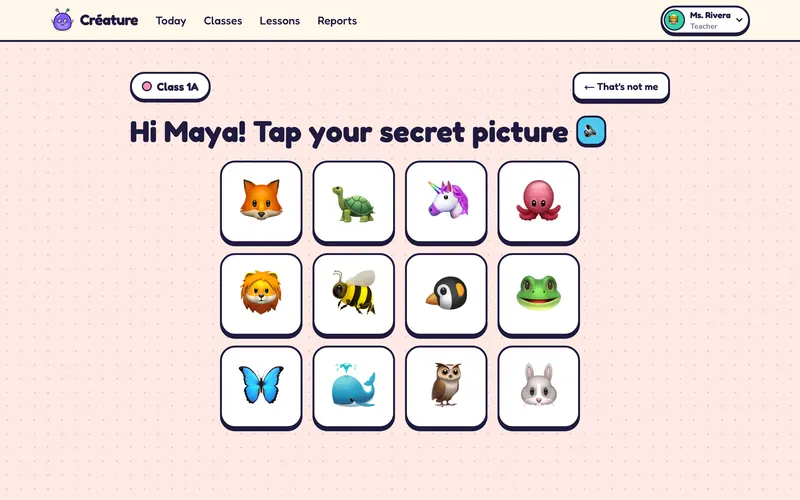
Kids sign in with a picture
Children type the class code or scan the class QR, tap their name, then tap their secret picture. From grade 3 they use two secret words instead. You add students by pasting first names and last initials: no student email, ever. Printable login cards carry each child’s QR.
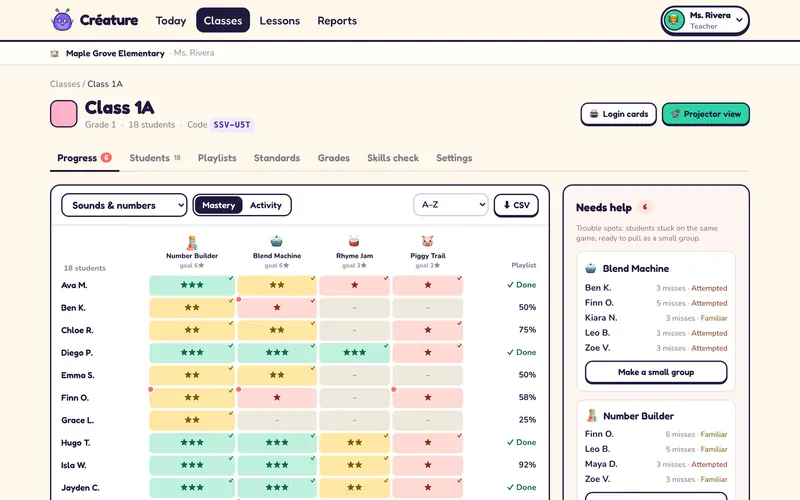
See who has it and who needs help
A grid of every student against every game in the playlist: stars for mastery, a switch to minutes played, and a CSV download. Trouble spots list the children who keep missing the same game, ready to become a small group.
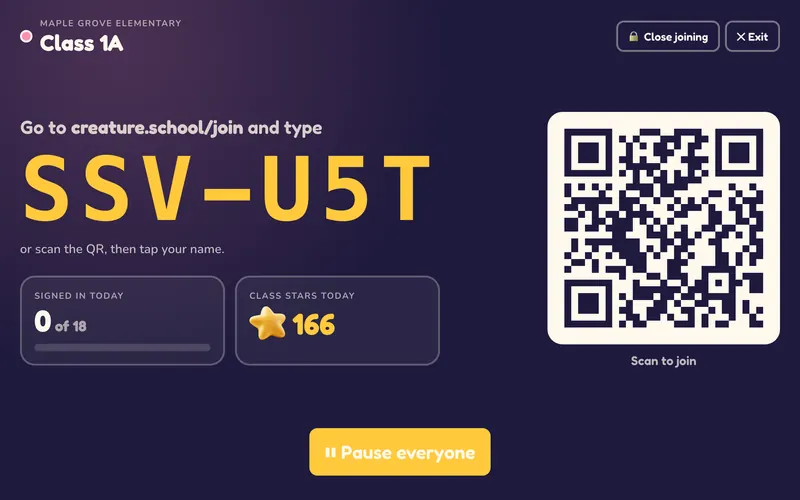
Projector view with pause-all
Put the class code and QR on the board and watch the class sign in. Close joining once everyone is in, and press Pause everyone when you need eyes on you.
Lessons ready to teach
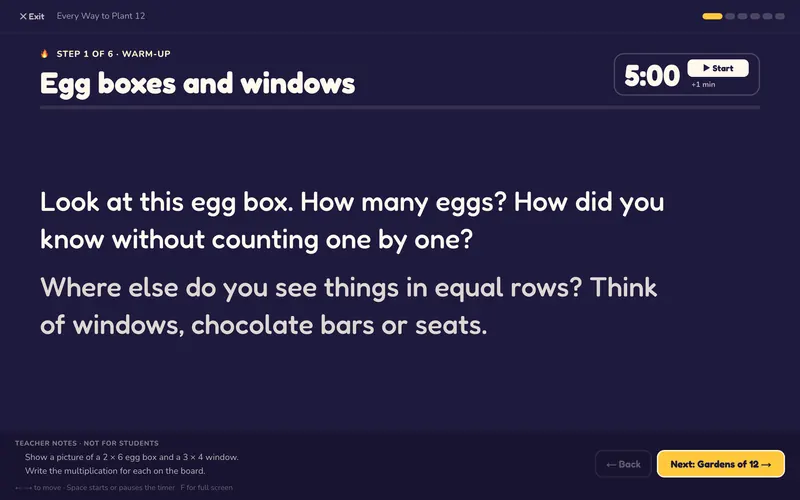
Step-by-step lesson scripts that go with the games: what to ask the class, a timer for each step, and teacher notes the class never sees. Arrow keys move on; F goes full screen.
Also planned
- Assign playlists with star goals and due dates
- Only assigned games
- Sound off for quiet rooms
- Standards report
- Skills checks before and after
- Weekly summary for families
Not ready yet. The games are.
While we build this, families can use Créature today: 92 games for kids 5–12, with the first levels of each free, and a family plan that opens every level and shows parents what's going well.
Questions? Write to us